Free for Windows 10 & 11

The barrier to AI just got lower.

Chat with Claude, ChatGPT, Gemini or Grok. It builds the app, site or tool you asked for, in a folder on your PC.

Free. Runs on your PC. Uses your own Claude, ChatGPT, Gemini or Grok account.

Claude ChatGPT Gemini Grok

How Forge works

Friendly as a chat. Real tools underneath.

Click through the four everyday ways you work with an agent in Forge—no terminal memorization required.

Chat · Terminal

A real chat, not a terminal.

Its replies show up as messages, with a box to type in. When it asks you something or wants permission, you click a button to answer.

The real Windows terminal is still right underneath—flip between them any time and nothing restarts.
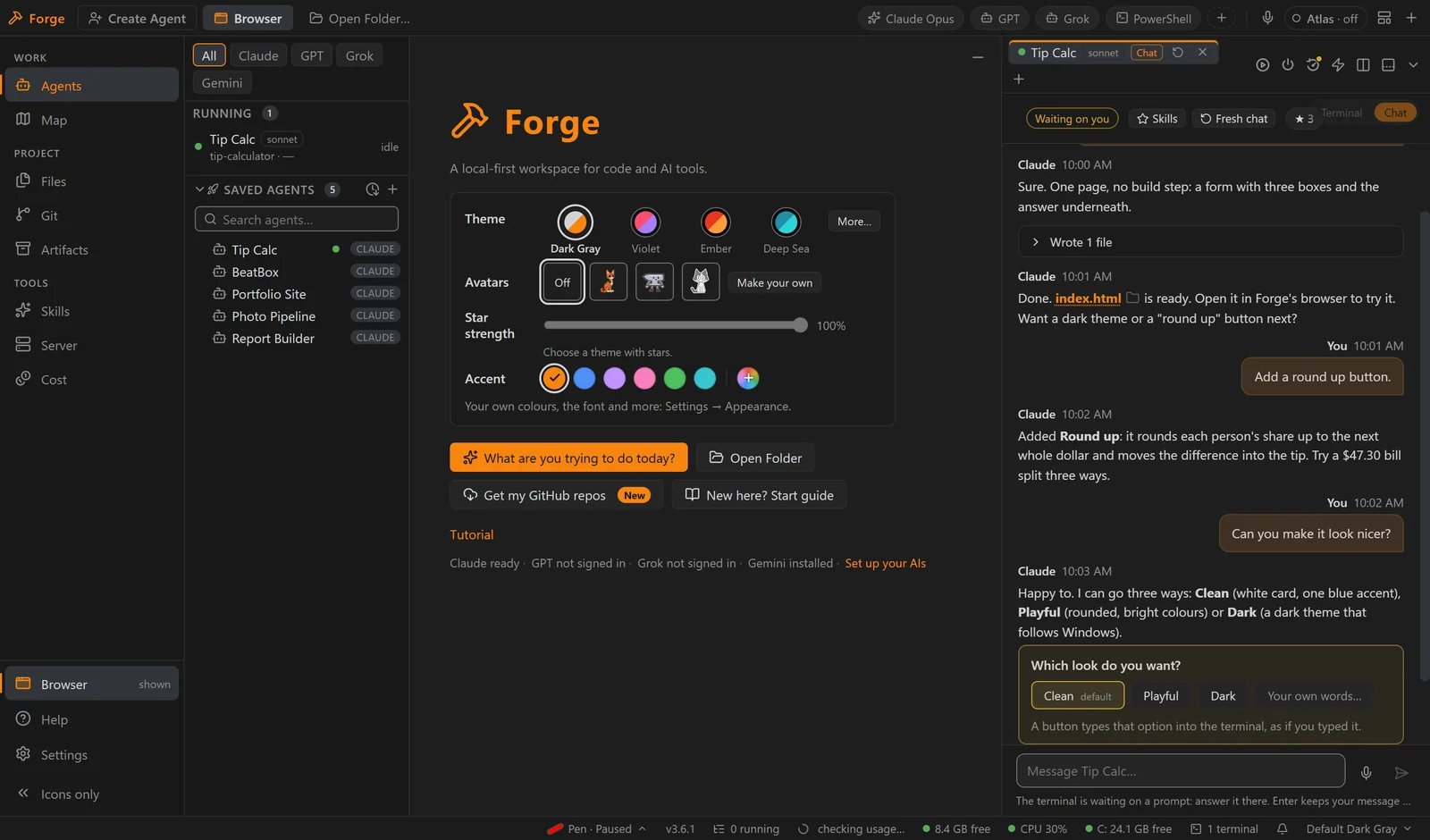
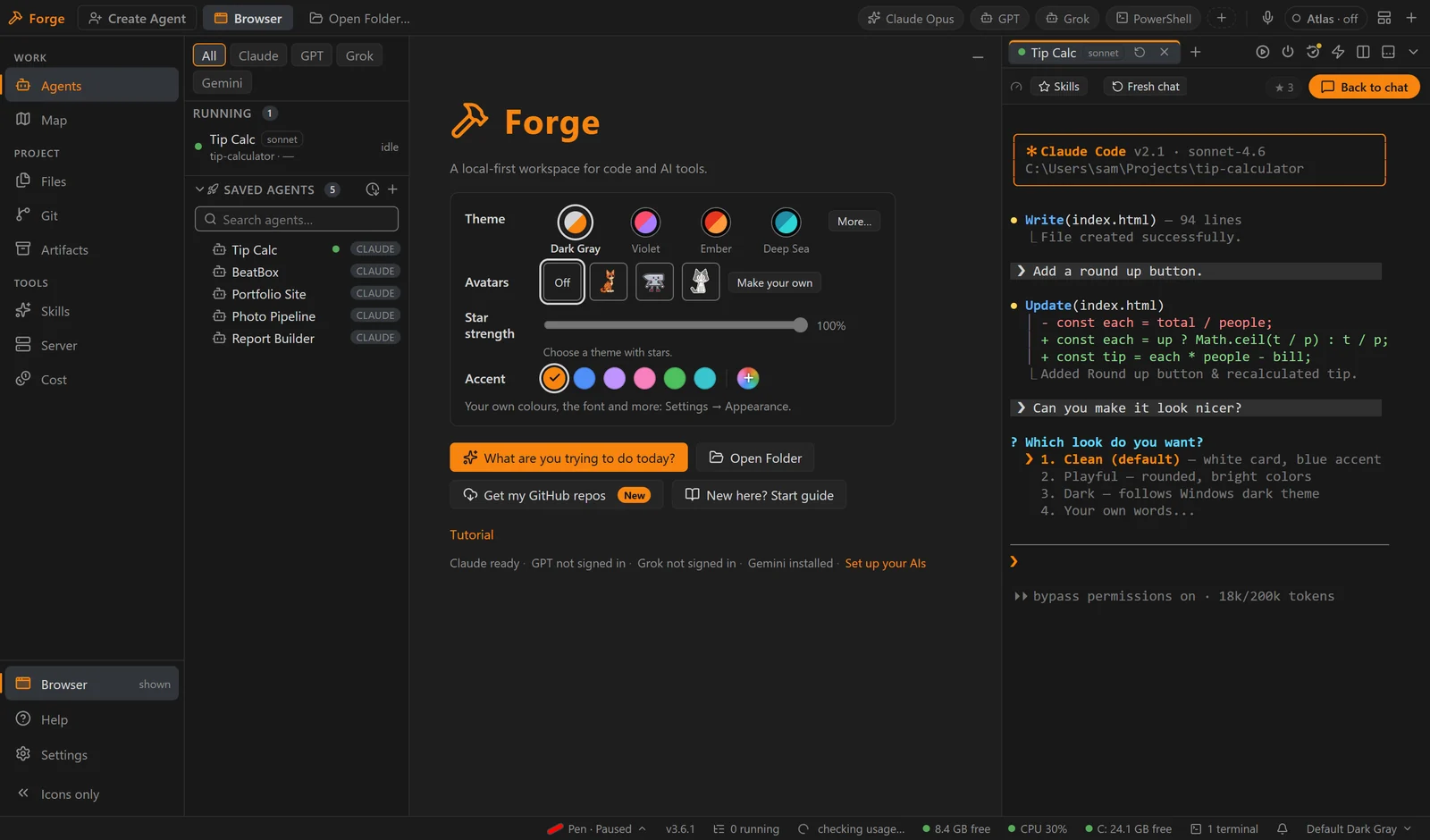
Ctrl+Shift+Y Flips any agent tab between Chat and Terminal
Forge in Chat view: Tip Calc asks Which look do you want? with Clean, Playful and Dark as clickable buttons. The same Tip Calc agent flipped to its real Windows terminal view, with a Back to chat button along the top.

Voice

Talk to it.

Press Ctrl+Space and say what you want instead of typing it. Your words land in the chat box, ready to review and send.

Speech recognition runs locally on your PC, so nothing leaves your desk while you dictate.
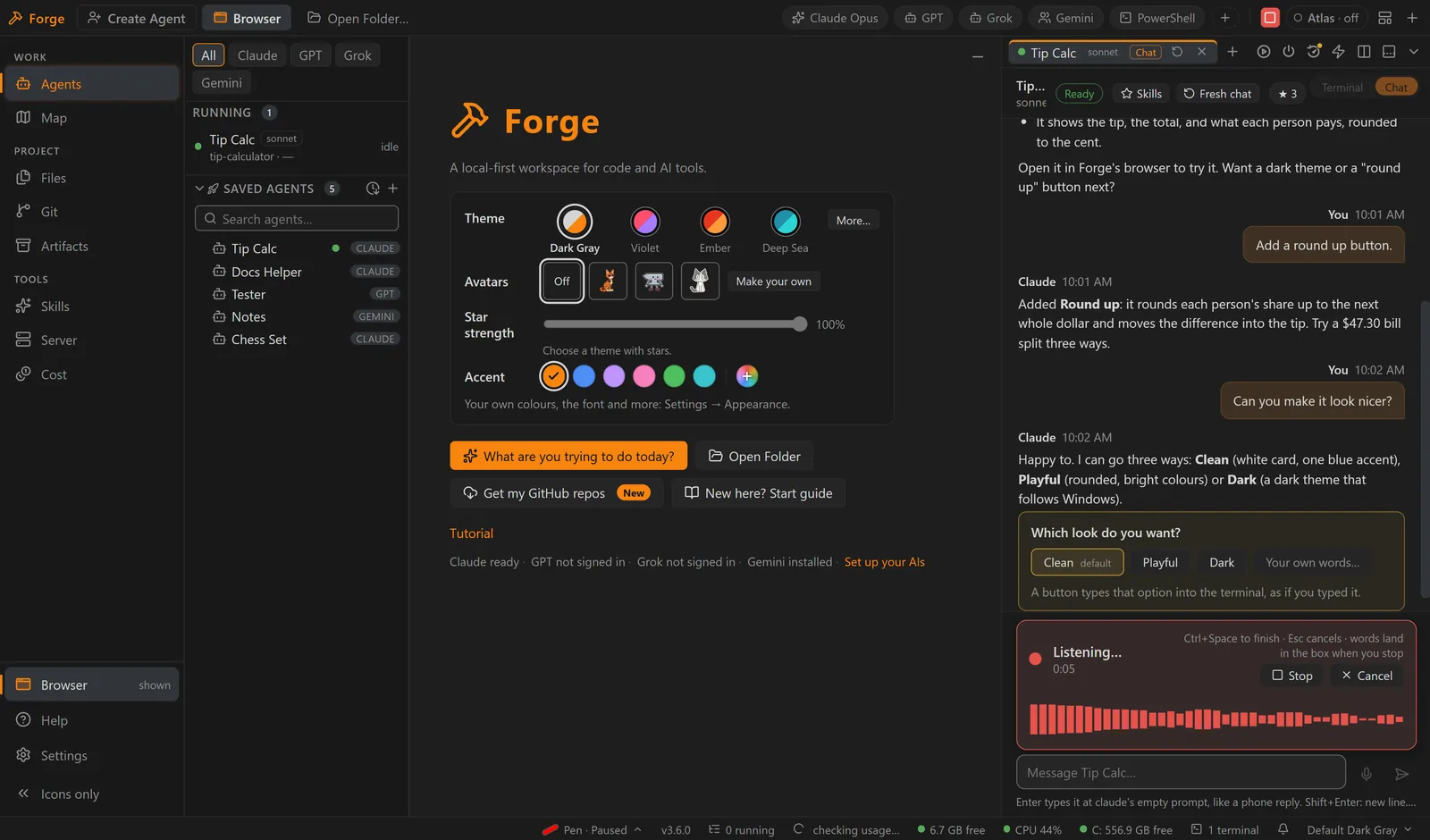
Ctrl+Space Press, speak, press again—nothing sends until Enter
The full Forge window with the voice box listening above the chat composer while you speak.

And on your phone

Answer from your phone.

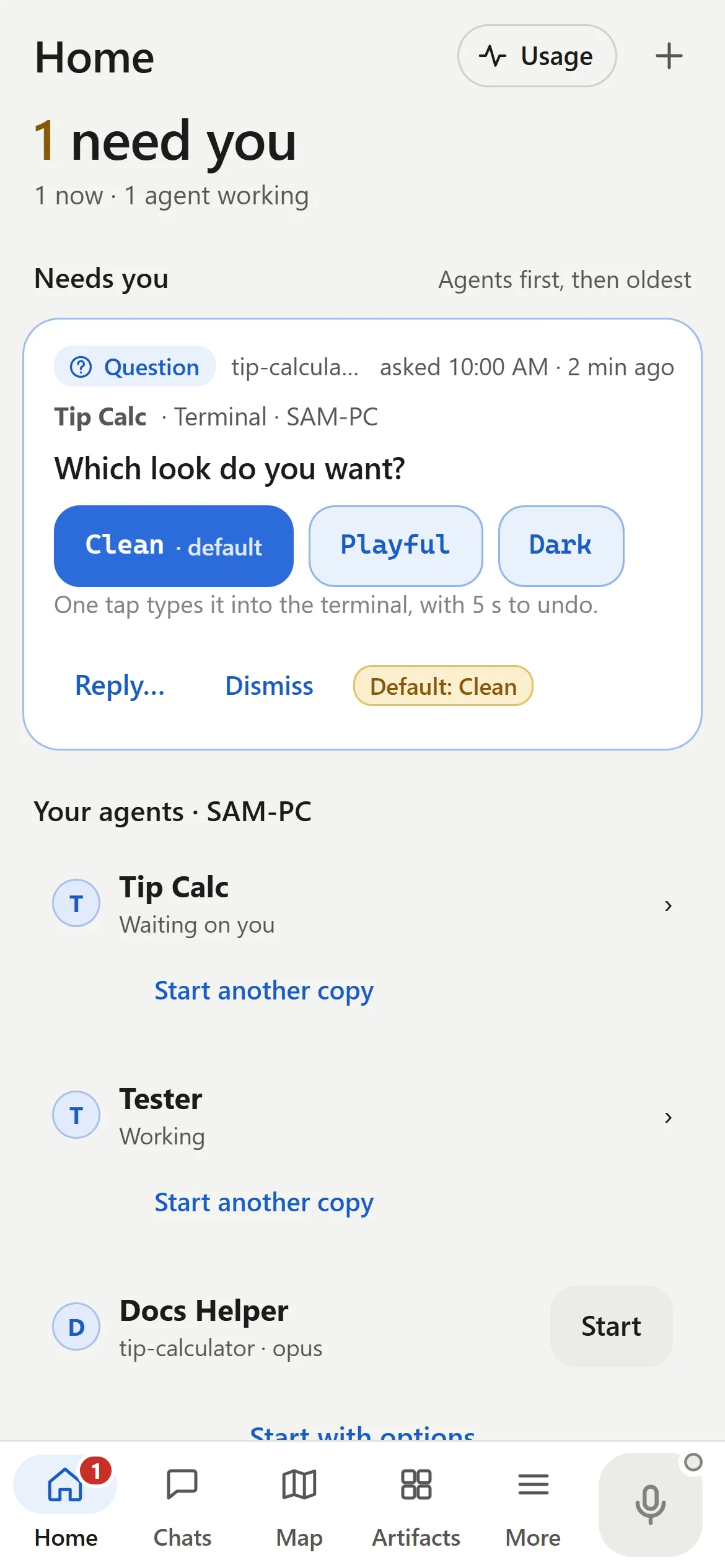
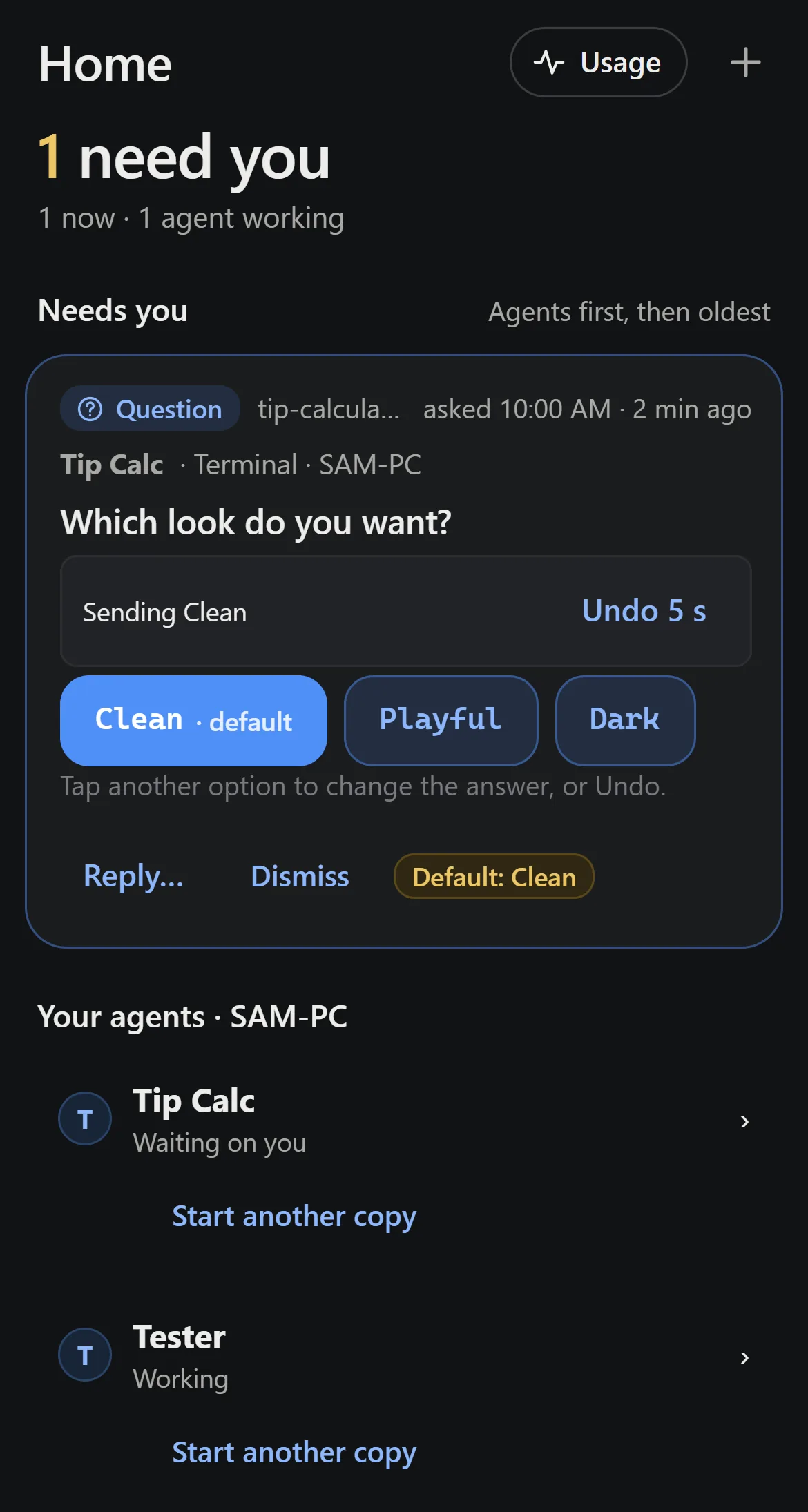
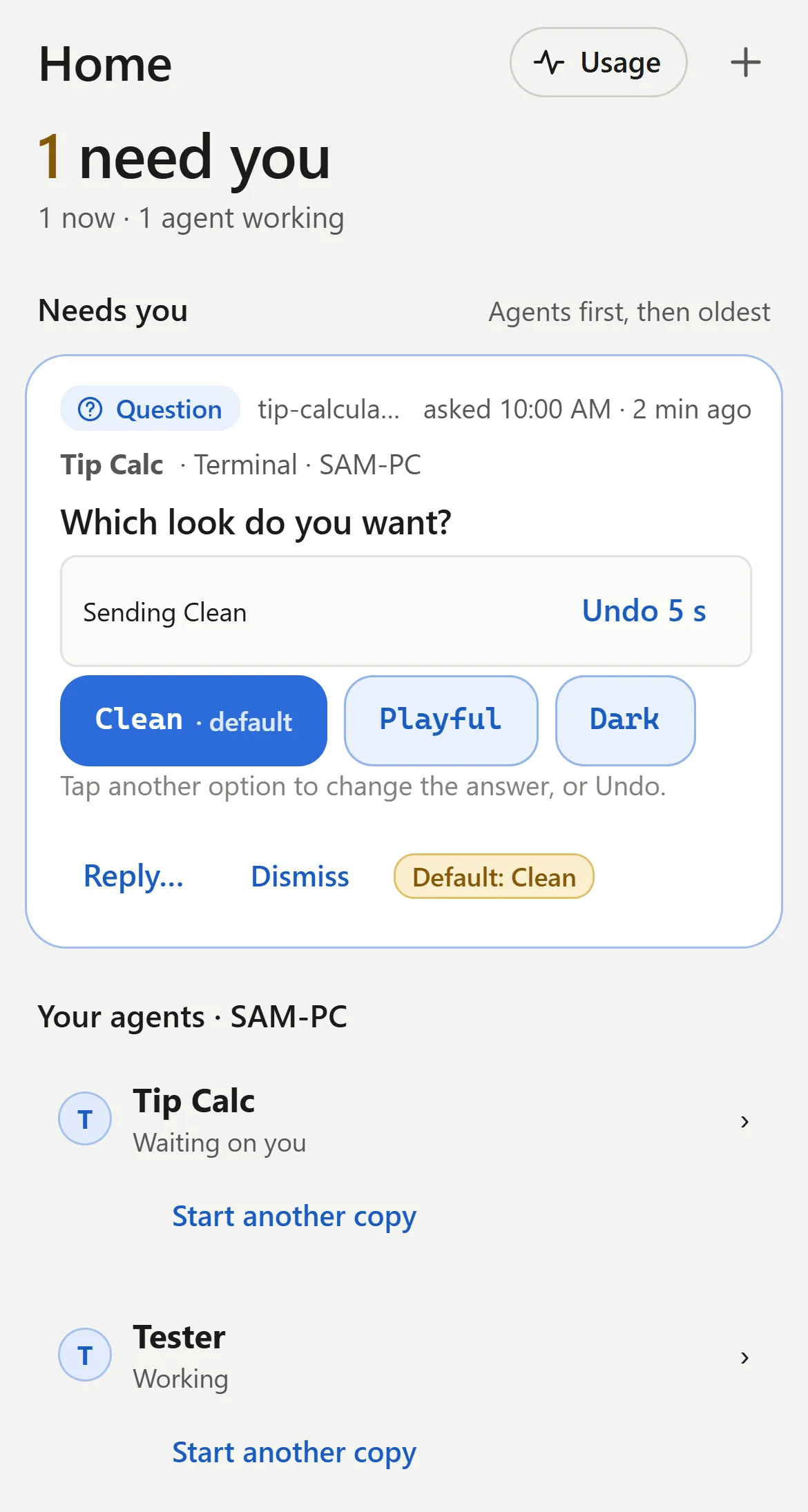
Its questions show up on your phone too, with the same tap-to-answer buttons. Tap an answer and the work on your PC carries right on.

For now, connecting a phone needs an invite word from me.
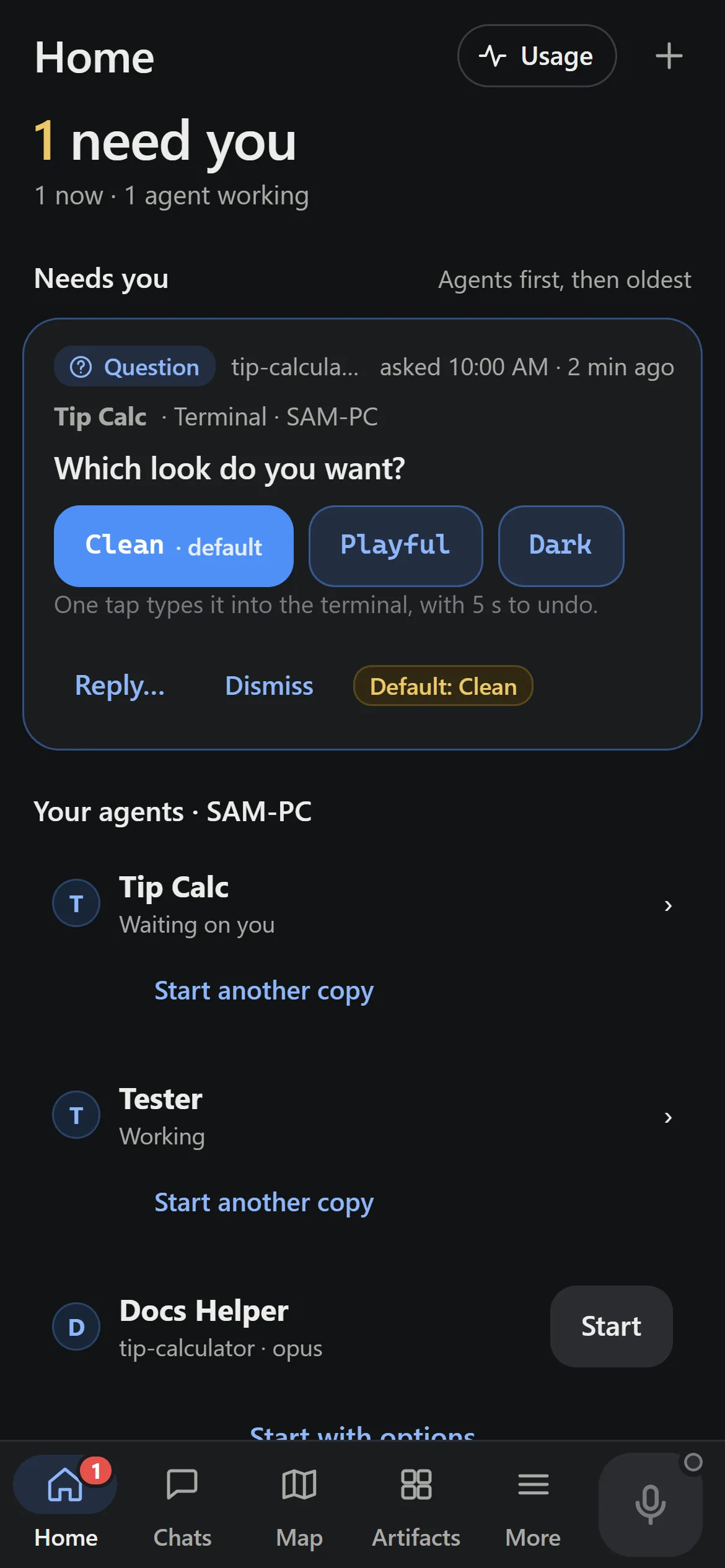
Forge on a phone: Tip Calc asks Which look do you want? with tap-to-answer buttons. Forge on a phone in light mode: Tip Calc asks Which look do you want? with tap-to-answer buttons. Forge on a phone: one tap on Clean answers Tip Calc, with Sending Clean and Undo 5 s above the buttons. Forge on a phone in light mode: one tap on Clean answers Tip Calc, with Undo 5 s.

Built-in browser

Try what it made, right there.

Pages and previews your agent builds open inside Forge right beside its chat. Test changes side by side without switching windows.
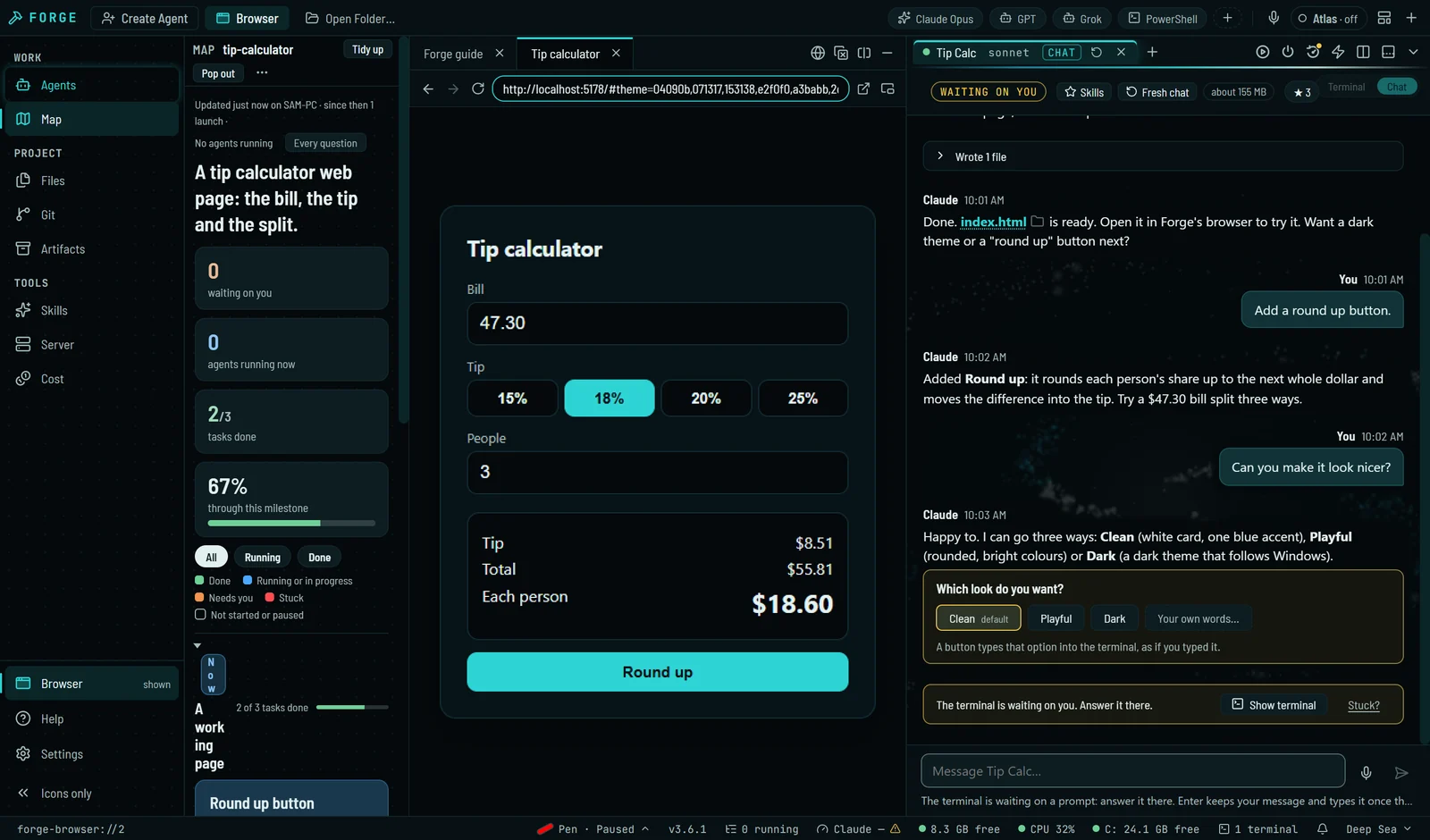
Ctrl+Shift+B Show or hide the built-in browser pane any time
Full Forge window in the Deep Sea theme showing the live tip calculator in Forge's built-in browser beside Chat and the Map.
1 of 4

Applications

What you can make with it

Ask in plain words, and an agent writes the files into a folder on your PC. Click any example to see it inside Forge.

3D models to print

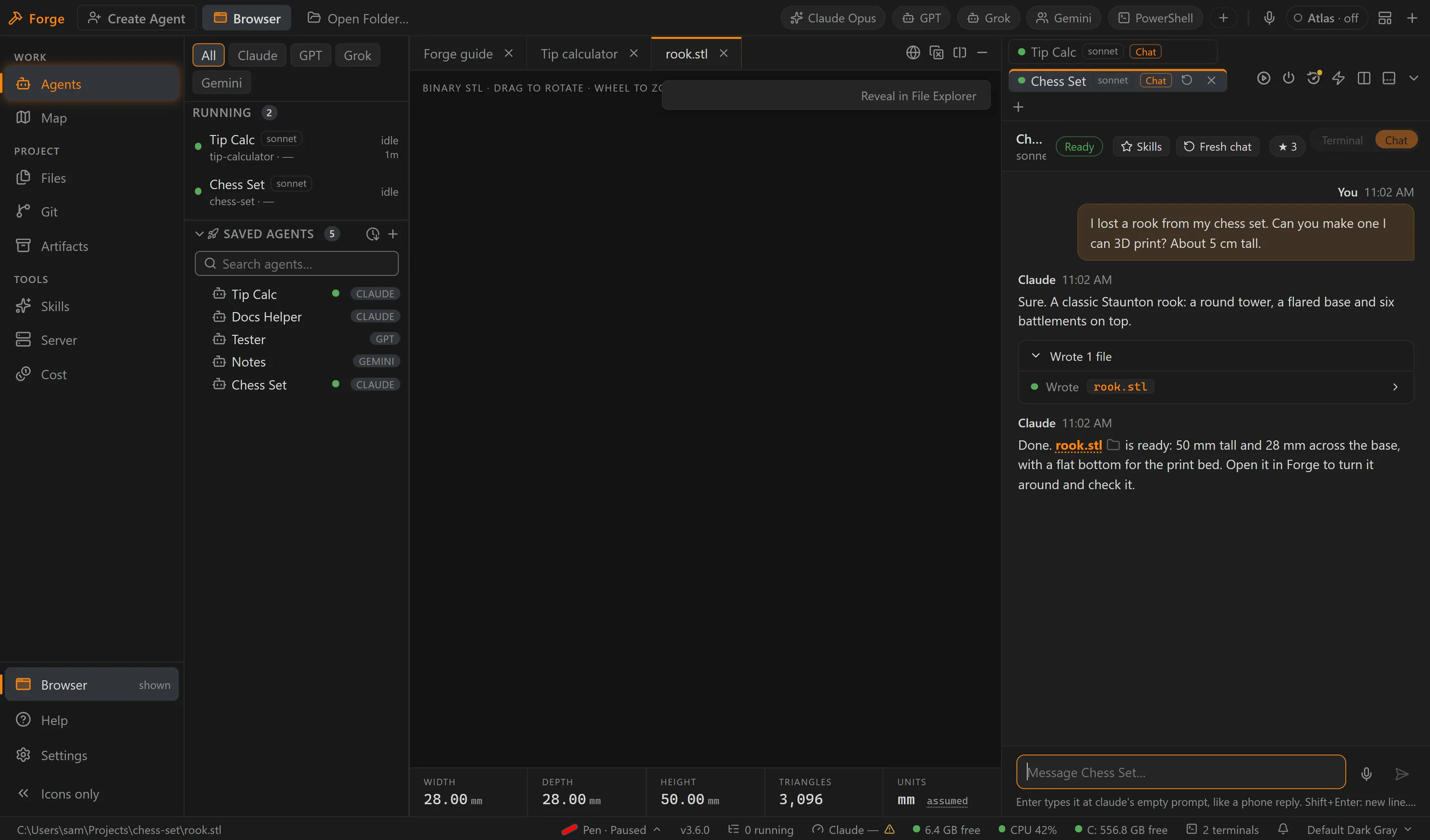
An .stl file opened in Forge's own viewer—drag to turn this one.

Forge's chat with Chess Set: asked for a rook to 3D print, about 5 cm tall, it wrote rook.stl, 50 mm tall and 28 mm across the base.
Forge with rook.stl open in its model viewer, between the agents list and the chat with Chess Set, which wrote the file. The viewer reads 28 mm wide, 28 mm deep, 50 mm tall, 3,096 triangles.
A staged chess rook, written by a script: a round tower with a flared base and six battlements, in grey.

A still picture: this browser can't draw the live model.

Software and apps

BeatBox Studio — an agent writes the code in your folder and runs it to try it.
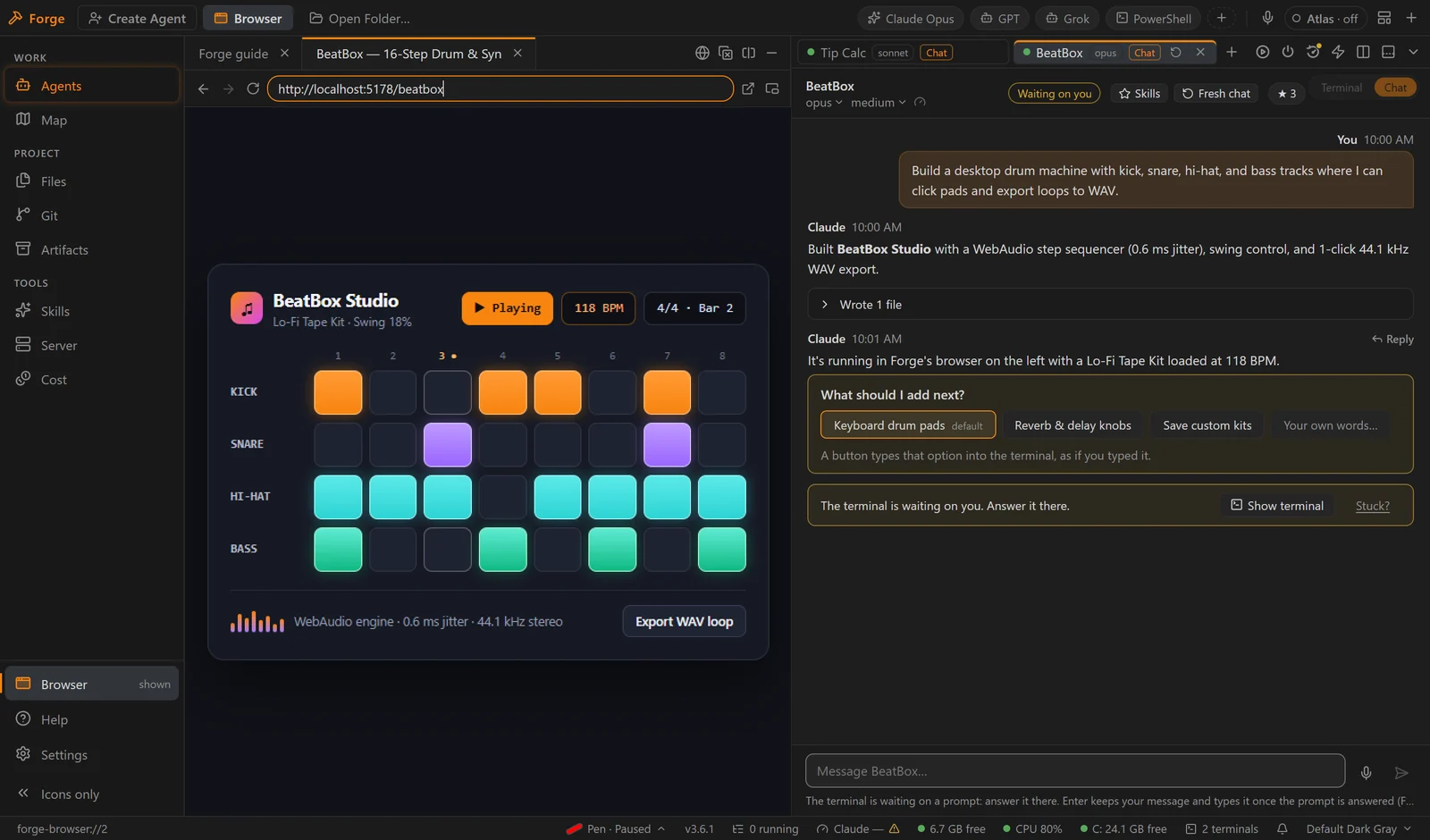
Forge running BeatBox Studio, a 16-step drum and synth sequencer with kick, snare, hi-hat and bass pads beside the BeatBox agent chat.

Websites

Alder & Grain woodworking portfolio — open live in Forge's browser while it builds.
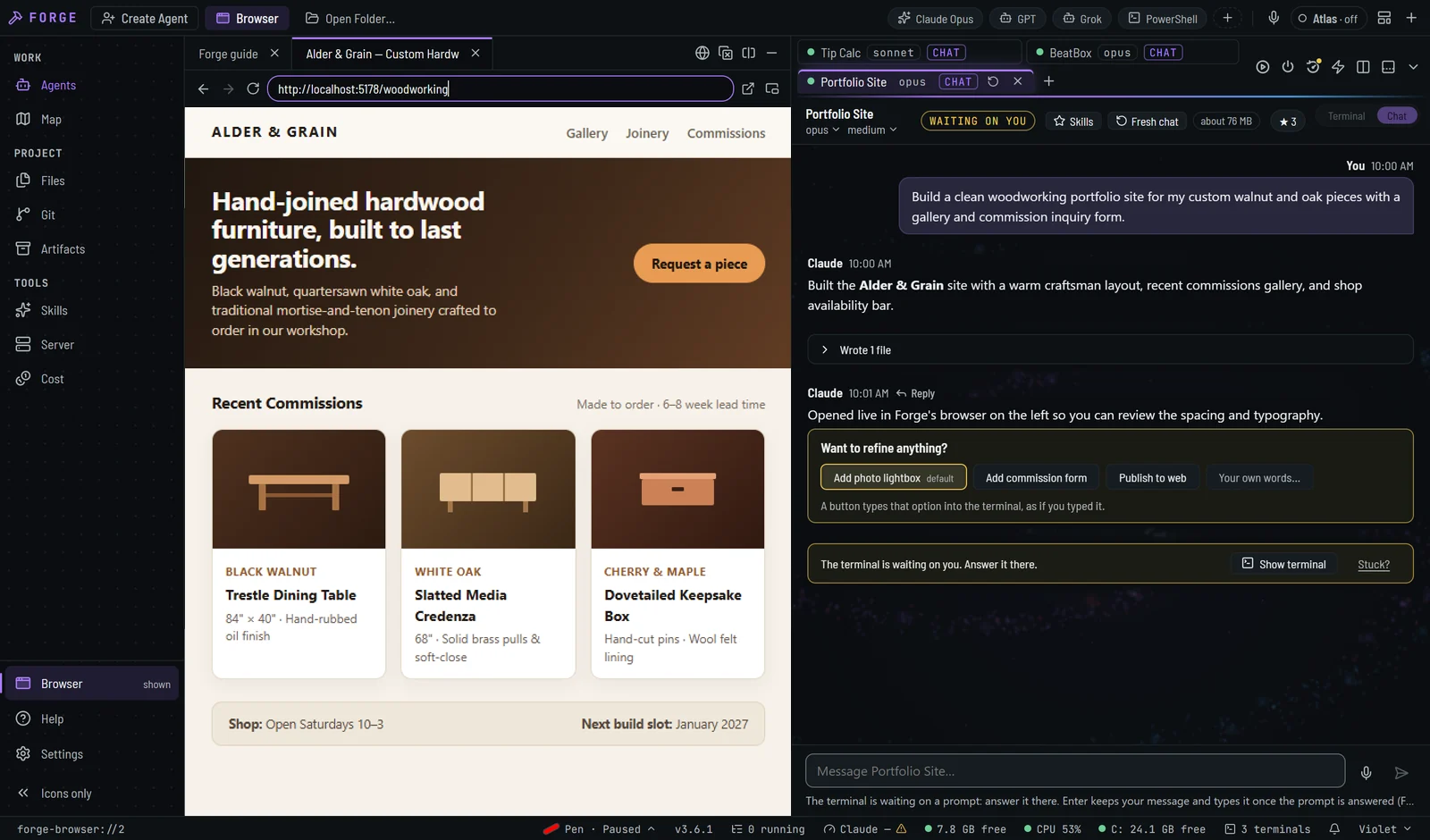
Forge in Violet with the Alder & Grain woodworking portfolio website open in Forge's built-in browser beside the Portfolio Site chat.

Scripts and automations

Bulk photo resizer & watermarker — 85 PNGs shrunk from 412 MB to 38 MB in 3.2 s.
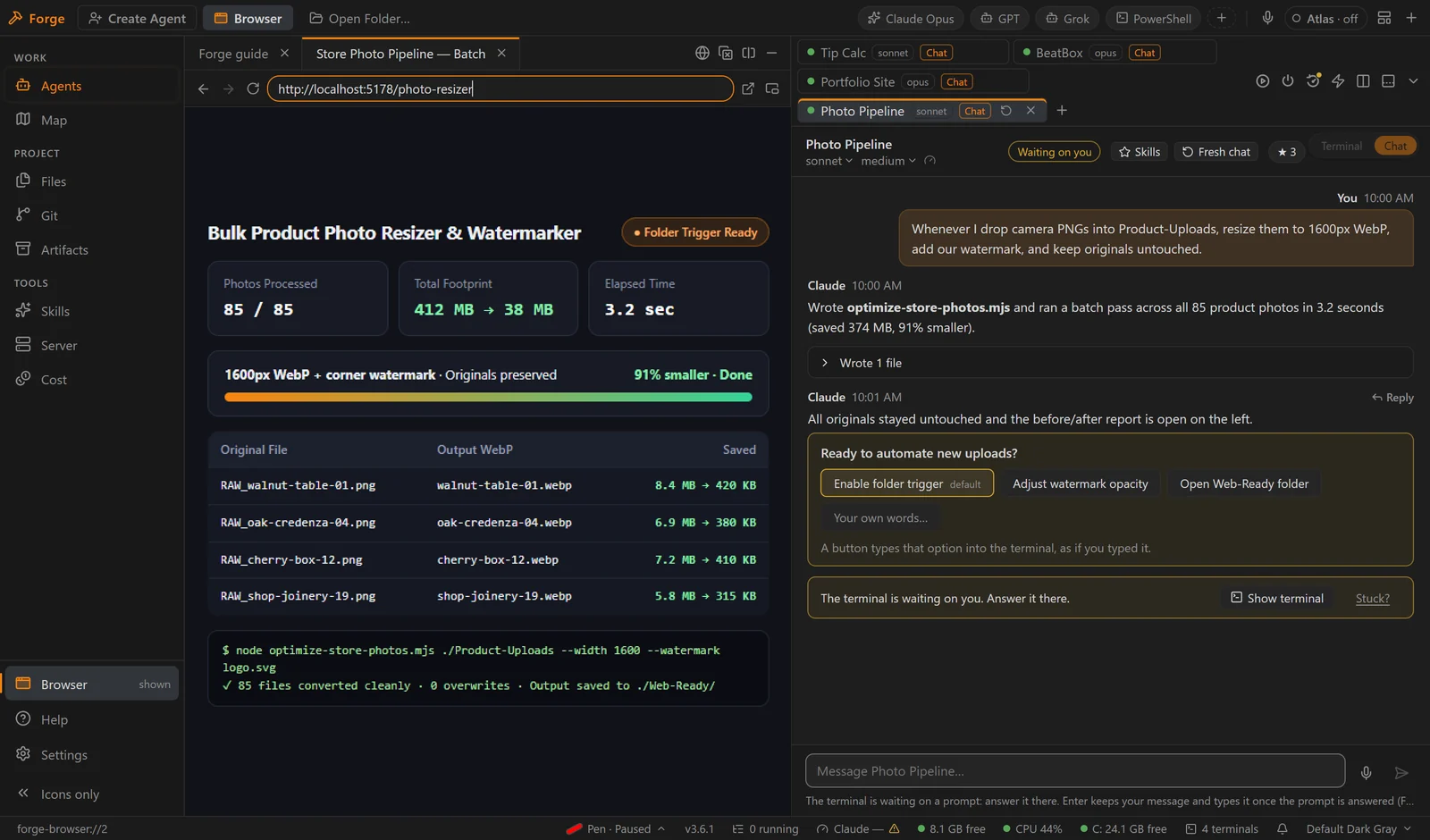
Forge showing a bulk product photo resizer and watermarker run that converted 85 PNGs from 412 MB to 38 MB in 3.2 seconds beside the Photo Pipeline chat.

Documents and spreadsheets

Q4 revenue report with charts, graphs, and a formula-driven Excel workbook.
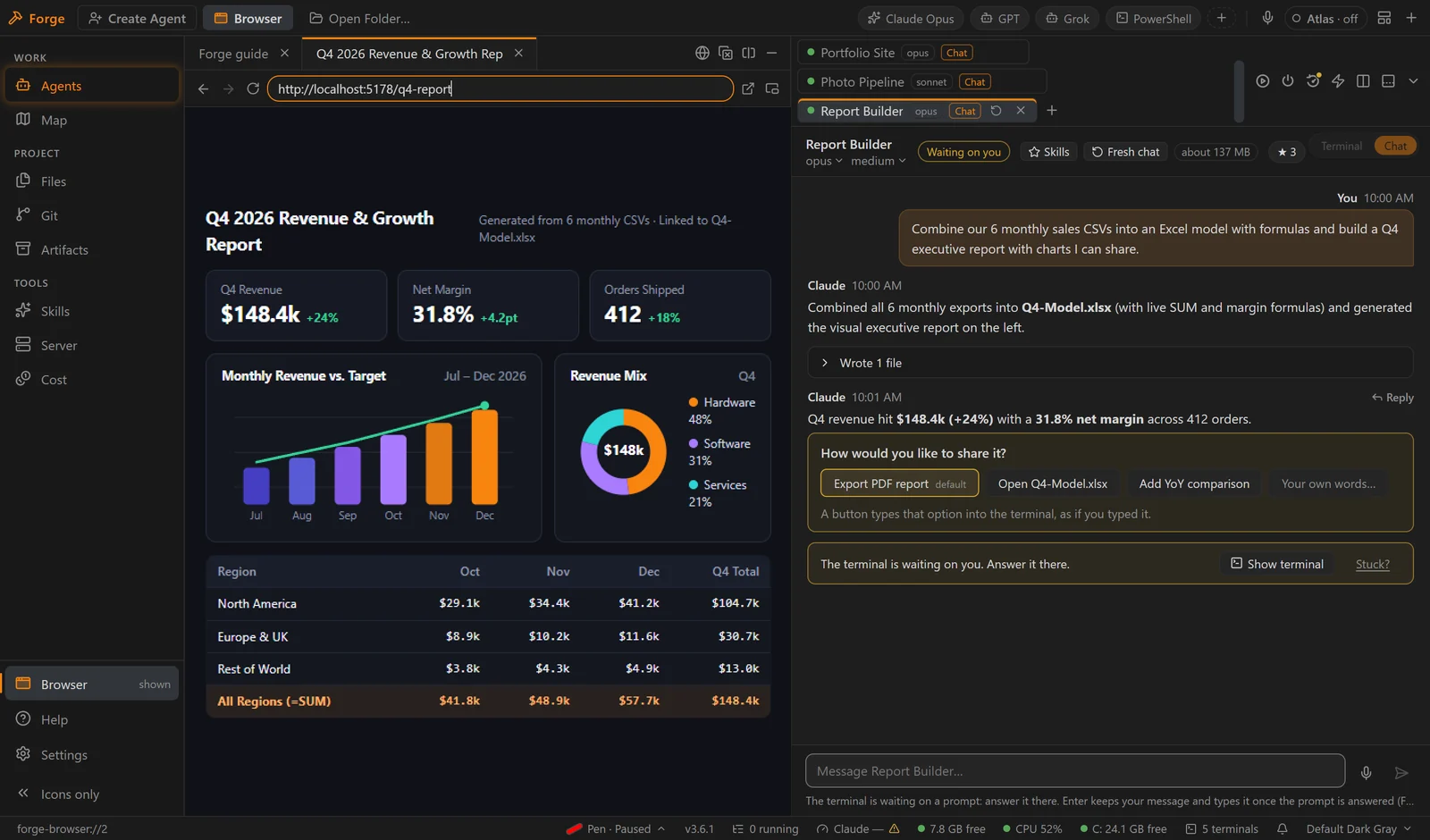
Forge showing a Q4 revenue and growth report with monthly bar chart, trend line, category donut chart and Excel formula summary beside the Report Builder chat.
1 of 5

For bigger projects

Deploy a full crew for larger projects.

When a project grows past one quick prompt, Forge already has the planning board, helper agents, triggers and Git tools built in.

Easily track your tasks and projects

Each task is a card with its status and how far along it is. See the Map →

A crew of agents

Make one agent the Orchestrator to plan work and start helper agents. See agent crews →

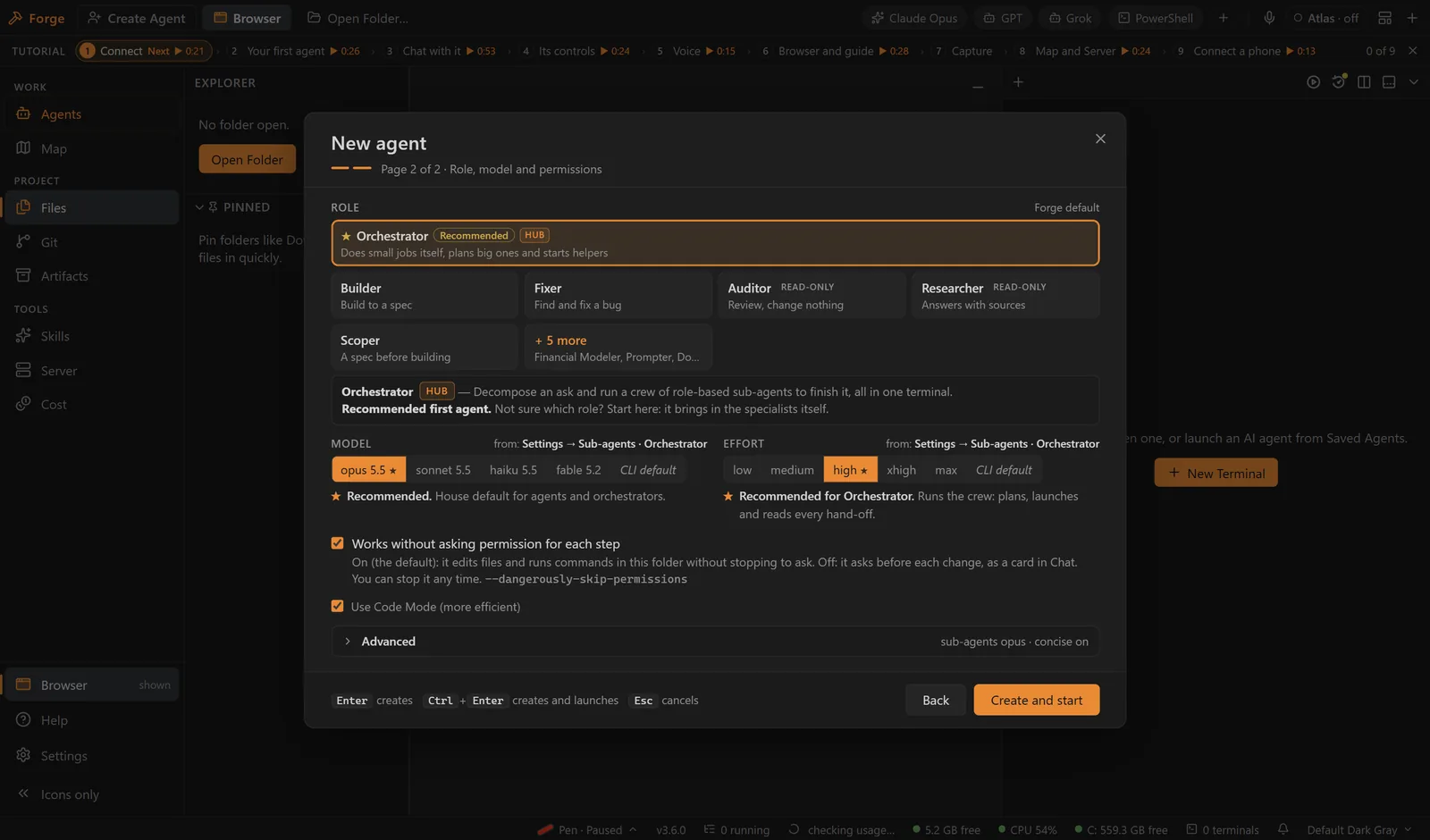
The Map for a tip calculator: 2 of 7 tasks done, 29% through Version 1, and cards such as Round up button at 70% in progress, Tests for the math at 85%, Pick the currency not started, and Tip form done. Page 2 of the New agent dialog showing the Orchestrator role alongside Builder, Fixer, Auditor, Researcher and Scoper.
Workspace theme: pick one to see it in the picture

Appearance

A workspace that’s yours

Customize your workspace with themes and layouts.

Flexible layouts
Split editors Pop-out Map & tabs Built-in browser Icons-only rail
Tip calculator in Forge Chat with the Violet theme. Tip calculator in Forge Chat with the Light Mode theme. Tip calculator in Forge Chat with the Dark Gray theme. Tip calculator in Forge Chat with the High Contrast Dark theme. Tip calculator in Forge Chat with the Soft Dark theme. Tip calculator in Forge Chat with the Crimson theme. Tip calculator in Forge Chat with the Ember theme. Tip calculator in Forge Chat with the Mono theme. Tip calculator in Forge Chat with the Phosphor theme. Tip calculator in Forge Chat with the Gold theme. Tip calculator in Forge Chat with the Synthwave theme. Tip calculator in Forge Chat with the Deep Sea theme. Tip calculator in Forge Chat with the Mono + Blue theme.

Download

Get Forge for Windows

One file. It installs with no admin password and keeps itself up to date.

Download Forge-Setup.exe

Latest version · about 128 MB · all releases

  • No admin password: it installs for your Windows user only.
  • Updates arrive by themselves. When one is ready, a small window says what's in it and asks; nothing restarts until you say so. What's new in each version
  • Remove it like any app, from Settings → Apps.
  • Stuck, or something broke? Reply to the message that sent you here and I'll help.

Windows will warn you the first time, because Forge isn't code-signed yet. Click More info, then Run anyway.

See the warning, step by step

Your download is starting

Two more clicks, then Forge opens by itself.

  1. Keep the file

    If your browser says Forge-Setup.exe isn't commonly downloaded: … → Keep.

  2. Open it, then More info → Run anyway

    Windows says "Windows protected your PC" the first time.

  3. Forge opens by itself when it has installed

    Then follow Getting started from step 3.

Forge isn't code-signed yet, so Windows doesn't know who made it. Blocked with no Run anyway button? That's Smart App Control. Message me rather than turning it off.